
LBC Tracking Status Meaning
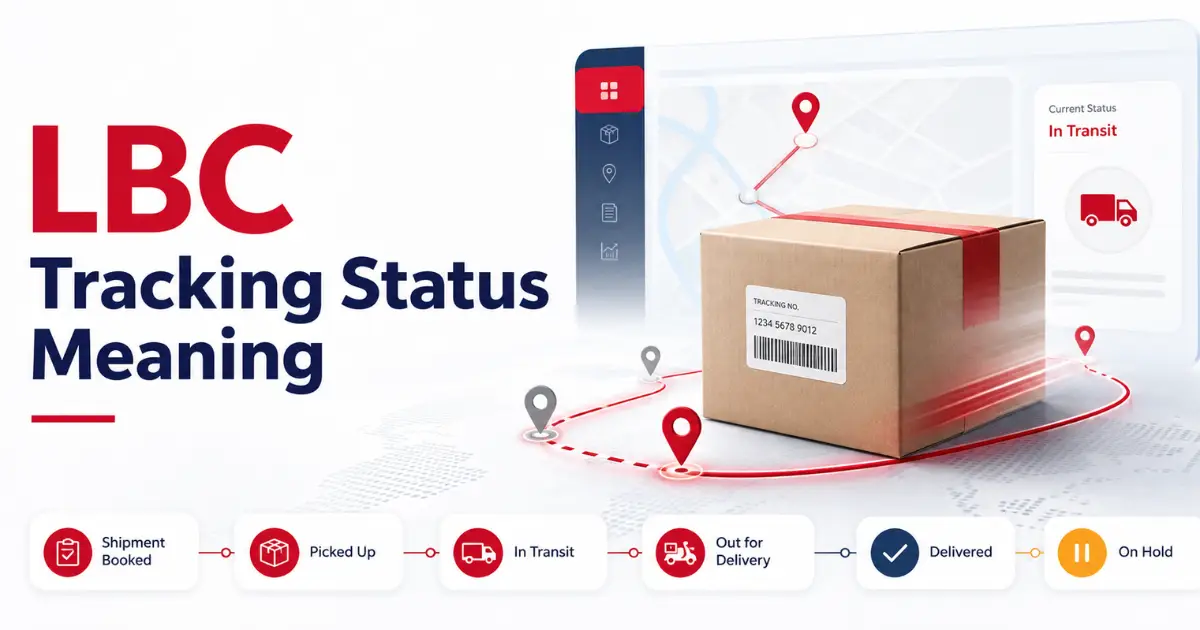
Looking for your LBC package details? Check out your LBC status and get real-time updates on your LBC package. It is the best way to track and trace your LBC shipment with an obvious status label, but before that, you have to understand the LBC Tracking Status Meaning. Every status labels a different delivery process, and to make it all clear for you, we have described the LBC Tracking Status Meaning below. All you have to do is explore our guide and check your parcel in the Philippines and worldwide with real-time updates. So, let’s get started.
What is LBC Tracking Status?
LBC Tracking status is the real-time update related to your LBC parcel, describing which process your shipment is in right now. The status gets updated after going through every checkpoint, making it all clear on the status label for users to bring them delivery process updates on the app. You just have to enter the correct tracking number to get the latest status update.
There are various status labels, referring to specific shipment details in the LBC tracking system, and for an accurate check of your parcel in the logistics network, you have to understand what every status means. Most of the users, especially beginners, find it confusing to understand LBC status messages like “In Transit”, “Picked Up”, “On Hold,” and many others like that.
So, to avoid this confusion and pace your ways towards accurate parcel tracking information, we have covered the meanings of each LBC Tracking status along with other correlated details that can help you better understand the LBC shipment details. Here is what every LBC Tracking Status means.
LBC Tracking Status Meaning Explained
LBC Tracking Status Meaning can be confusing for beginners, hindering their access to real-time tracking updates. To understand where your package is in the LBC logistics, understanding LBC Tracking Status Meaning is the key. So, bear with us and explore what every LBC status stands for.
Shipment Booked/ Accepted
Your shipment is registered in the LBC tracking record, and LBC has also received the package for delivery. It is the first status that you get to see after booking your package.
Picked Up
Picked Up status is the indicator that the LBC courier rider has collected your package from the sender, and it is now good to go.
In Transit
The status shows that your package is under active shipment processing and actively moving between LBC hubs to reach out the destination location.
Arrived at Destination Hub / Branch
If you see “Arrived at Destination Hub” status, then it means your parcel is at the nearest LBC facility that is closest to your address.
Out for Delivery
Your package is with the rider, and it is heading towards you. It also means that you will soon have your parcel.
Delivery Attempted / Undelivered
The “Delivery Attempted” status means that the rider has tried to deliver the parcel to the receiver, but the receiver was unreachable. So, the delivery failed.
Delivered
The parcel is successfully delivered to the destined address and also handed over to the receiver.
Ready for Pick-Up
Your package is waiting for you at the nearest LBC branch, and the receiver can pick it up from their nearest LBC hub.
On Hold/ Custom Clearance
Your parcel is set to pause due to customs clearance, a COD issue, or an incomplete address.
Return to Sender
LBC cannot complete your shipment order and is sending your parcel back to the sender.
A Quick Insight into LBC Tracking Status Meaning
|
LBC Tracking Status |
Meaning |
|---|---|
|
Shipment Booked |
LBC has registered your shipment |
|
Pick Up |
LBC has picked up your parcel |
|
In Transit |
Your package is moving between hubs. |
|
Arrived at Destination Hub |
Your parcel is at the nearest LBC facility. |
|
Out for Delivery |
The rider has your parcel with him. |
|
Undelivered |
Failed delivery attempt |
|
Delivered |
Parcel is handed over to the receiver |
|
Ready for Pick-Up |
You can pick up your parcel from the nearest LBC facility |
|
On Hold |
Delivery paused |
|
Return to Sender |
LB sending the parcel back to the sender |
How to Check LBC Tracking Status
It is all simple and easy to check your LBC Tracking Status by following a few simple steps that we have covered below. The following steps contribute to it.
Get Your Tracking Number
To begin with, check your LBC package and find the 12-digit tracking number. In case of online booking, you will get it in your email or on your mobile number via SMS.
Visit Official LBC Express
Visit the official LBC Express website and open it on your device. From here, navigate to its tracking page and open it.
Enter Tracking Number
On the tracking page, you will see the search bar. Open it and enter your tracking number without dashes or spaces.
Submit Tracking Request
After entering your tracking number in the LBC search bar. Press Enter to submit the tracking request.
Review your Tracking Status
Last but not least, a new page with your current tracking status will appear. Review it and get it all done.
Frequently Asked Questions
Final Verdict
Summing up, to perfectly track your order on LBC Express, you need to understand what LBC tracking statuses mean. There are different stages that your parcel goes through, and to provide users with real-time updates about their delivery process, LBC shows shipment details in the form of statuses like “Picked Up”, “Out for Delivery”, and “Delivered”, referring to the ongoing situation with your package. And all you need to know about the LBC Tracking Status Meaning is covered in this post. So, bear with us to better understand your shipment details.
One Comment